also looking at this
chore(deps): update dependency @actions/github to v6
#11
4 files
+230
-92
Review threads live on the whole diff, not on one commit, so none are shown here - a thread's line means something in the branch's final form, and painting it into an intermediate step would put it on code it is not about.
| @@ -8,24 +8,46 @@ | ||
| 8 | 8 | |
| 9 | 9 | # launchpad |
| 10 | 10 | |
| 11 | > A lightweight package manager built on top of pkgx to simplify package installation and management. _Similar to Homebrew._ | |
| 11 | > A lightweight package manager built on top of pkgx to simplify package installation and management. _Similar to Homebrew, but better._ | |
| 12 | 12 | |
| 13 | 13 | ## Features |
| 14 | 14 | |
| 15 | Launchpad offers the following features: | |
| 15 | Launchpad offers a streamlined approach to package management with these key features: | |
| 16 | 16 | |
| 17 | - �� **Package Management** _Install and manage packages directly using pkgx_ | |
| 18 | - �� **Executable Shims** _Create executable shims for packages automatically_ | |
| 19 | - ��️ **pkgx Installation** _Install and manage the pkgx utility itself_ | |
| 20 | - �� **Dev Environment** _Dedicated command for the dev package for development environments_ | |
| 21 | - �� **Auto-updates** _Configure automatic updates for pkgx_ | |
| 22 | - �� **PATH Integration** _Automatically add installation directories to your PATH_ | |
| 23 | - �� **Cross-platform** _Support for macOS, Linux, and Windows systems_ | |
| 17 | - �� **[Package Management](https://github.com/stacksjs/launchpad/tree/main/docs/features/package-management.md)** — Install and manage packages efficiently using pkgx | |
| 18 | - �� **[Executable Shims](https://github.com/stacksjs/launchpad/tree/main/docs/features/shim-creation.md)** — Create executable shims for packages automatically | |
| 19 | - ��️ **[pkgx Management](https://github.com/stacksjs/launchpad/tree/main/docs/features/pkgx-management.md)** — Install and manage the pkgx utility itself | |
| 20 | - �� **[Dev Environment](https://github.com/stacksjs/launchpad/tree/main/docs/features/dev-package.md)** — Dedicated command for the dev package for development environments | |
| 21 | - �� **Auto-updates** — Configure automatic updates for pkgx | |
| 22 | - �� **[PATH Integration](https://github.com/stacksjs/launchpad/tree/main/docs/features/path-management.md)** — Automatically add installation directories to your PATH | |
| 23 | - �� **Cross-platform** — Full support for macOS, Linux, and Windows systems | |
| 24 | ||
| 25 | ## Why Launchpad? | |
| 26 | ||
| 27 | Traditional package managers like Homebrew have limitations: | |
| 28 | ||
| 29 | - **Slow installations** — Installing or updating can take minutes | |
| 30 | - **Dependency chains** — Updating one package triggers unwanted updates | |
| 31 | - **Environment conflicts** — Different projects need different versions | |
| 32 | - **PATH management** — Manual PATH configuration is error-prone | |
| 33 | - **Platform inconsistency** — Different systems need different approaches | |
| 34 | ||
| 35 | Launchpad solves these by providing: | |
| 36 | ||
| 37 | - **Fast installations** — Leverage pkgx for efficient package management | |
| 38 | - **Isolated packages** — Install only what you need without conflicts | |
| 39 | - **Automatic PATH management** — Tools are available immediately | |
| 40 | - **Consistent interface** — Same commands work everywhere | |
| 41 | - **Dev environments** — Project-specific development environment support | |
| 42 | ||
| 43 | [Read more about why we created Launchpad](https://github.com/stacksjs/launchpad/tree/main/docs/why.md) | |
| 24 | 44 | |
| 25 | 45 | ## Installation |
| 26 | 46 | |
| 47 | Launchpad is available through multiple package managers: | |
| 48 | ||
| 27 | 49 | ```bash |
| 28 | # Install with Bun | |
| 50 | # Install with Bun (recommended) | |
| 29 | 51 | bun add -g @stacksjs/launchpad |
| 30 | 52 | |
| 31 | 53 | # Or with npm |
| @@ -33,9 +55,14 @@ npm install -g @stacksjs/launchpad | ||
| 33 | 55 | |
| 34 | 56 | # Or with yarn |
| 35 | 57 | yarn global add @stacksjs/launchpad |
| 58 | ||
| 59 | # Or with pnpm | |
| 60 | pnpm add -g @stacksjs/launchpad | |
| 36 | 61 | ``` |
| 37 | 62 | |
| 38 | ## Usage | |
| 63 | See [Installation Guide](https://github.com/stacksjs/launchpad/tree/main/docs/install.md) for more options. | |
| 64 | ||
| 65 | ## Quick Start | |
| 39 | 66 | |
| 40 | 67 | ### Install packages |
| 41 | 68 | |
| @@ -43,14 +70,14 @@ yarn global add @stacksjs/launchpad | ||
| 43 | 70 | # Install packages |
| 44 | 71 | launchpad install node python |
| 45 | 72 | |
| 46 | # Use a shorthand | |
| 73 | # Use the shorthand | |
| 47 | 74 | launchpad i node |
| 48 | 75 | ``` |
| 49 | 76 | |
| 50 | 77 | ### Create shims |
| 51 | 78 | |
| 52 | 79 | ```bash |
| 53 | # Create shims for executables from packages | |
| 80 | # Create shims for executables | |
| 54 | 81 | launchpad shim node typescript |
| 55 | 82 | |
| 56 | 83 | # Specify custom path |
| @@ -70,11 +97,11 @@ launchpad pkgx --force | ||
| 70 | 97 | ### Install dev package |
| 71 | 98 | |
| 72 | 99 | ```bash |
| 73 | # Install the dev package for development environments | |
| 100 | # Install the dev package | |
| 74 | 101 | launchpad dev |
| 75 | 102 | |
| 76 | 103 | # With customization |
| 77 | launchpad dev --path ~/bin --force | |
| 104 | launchpad dev --path ~/bin | |
| 78 | 105 | ``` |
| 79 | 106 | |
| 80 | 107 | ### Configure auto-updates |
| @@ -90,45 +117,93 @@ launchpad autoupdate:enable | ||
| 90 | 117 | launchpad autoupdate:disable |
| 91 | 118 | ``` |
| 92 | 119 | |
| 93 | ### Customize PATH behavior | |
| 94 | ||
| 95 | ```bash | |
| 96 | # Prevent automatic PATH modifications | |
| 97 | launchpad shim node --no-auto-path | |
| 98 | launchpad dev --no-auto-path | |
| 99 | ``` | |
| 100 | ||
| 101 | 120 | ### List installed packages |
| 102 | 121 | |
| 103 | 122 | ```bash |
| 104 | 123 | # List all installed packages |
| 105 | 124 | launchpad list |
| 106 | ||
| 107 | # Or use the shorthand | |
| 125 | # or | |
| 108 | 126 | launchpad ls |
| 109 | 127 | ``` |
| 110 | 128 | |
| 111 | 129 | ## Configuration |
| 112 | 130 | |
| 113 | Launchpad uses a configuration file in your home directory at `~/.launchpadrc` or `.launchpad.json` in your project. Example configuration: | |
| 114 | ||
| 115 | ```json | |
| 116 | { | |
| 117 | "verbose": true, | |
| 118 | "installationPath": "/usr/local", | |
| 119 | "autoSudo": true, | |
| 120 | "maxRetries": 3, | |
| 121 | "timeout": 60000, | |
| 122 | "symlinkVersions": true, | |
| 123 | "forceReinstall": false, | |
| 124 | "shimPath": "~/.local/bin", | |
| 125 | "autoAddToPath": true | |
| 131 | Launchpad can be configured via a config file (`launchpad.config.ts`, `.launchpadrc`, etc.) or through command-line options. | |
| 132 | ||
| 133 | Example configuration: | |
| 134 | ||
| 135 | ```ts | |
| 136 | import type { LaunchpadConfig } from '@stacksjs/launchpad' | |
| 137 | ||
| 138 | const config: LaunchpadConfig = { | |
| 139 | // Enable verbose logging | |
| 140 | verbose: true, | |
| 141 | ||
| 142 | // Installation path for binaries | |
| 143 | installationPath: '/usr/local', | |
| 144 | ||
| 145 | // Auto-elevate with sudo when needed | |
| 146 | autoSudo: true, | |
| 147 | ||
| 148 | // Retry settings | |
| 149 | maxRetries: 3, | |
| 150 | timeout: 60000, | |
| 151 | ||
| 152 | // Version handling | |
| 153 | symlinkVersions: true, | |
| 154 | forceReinstall: false, | |
| 155 | ||
| 156 | // PATH management | |
| 157 | shimPath: '~/.local/bin', | |
| 158 | autoAddToPath: true, | |
| 126 | 159 | } |
| 160 | ||
| 161 | export default config | |
| 162 | ``` | |
| 163 | ||
| 164 | See [Configuration Guide](https://github.com/stacksjs/launchpad/tree/main/docs/config.md) for all options. | |
| 165 | ||
| 166 | ## GitHub Action | |
| 167 | ||
| 168 | Launchpad provides a GitHub Action for CI/CD workflows: | |
| 169 | ||
| 170 | ```yaml | |
| 171 | - name: Install Dependencies | |
| 172 | uses: stacksjs/launchpad-installer@v1 | |
| 173 | with: | |
| 174 | packages: node typescript bun | |
| 127 | 175 | ``` |
| 128 | 176 | |
| 177 | See [GitHub Action Documentation](https://github.com/stacksjs/launchpad/tree/main/packages/action/README.md) for details. | |
| 178 | ||
| 179 | ## Advanced Usage | |
| 180 | ||
| 181 | Explore advanced topics in our documentation: | |
| 182 | ||
| 183 | - [Custom Shims](https://github.com/stacksjs/launchpad/tree/main/docs/advanced/custom-shims.md) | |
| 184 | - [Cross-platform Compatibility](https://github.com/stacksjs/launchpad/tree/main/docs/advanced/cross-platform.md) | |
| 185 | - [Performance Optimization](https://github.com/stacksjs/launchpad/tree/main/docs/advanced/performance.md) | |
| 186 | - [API Reference](https://github.com/stacksjs/launchpad/tree/main/docs/api/reference.md) | |
| 187 | ||
| 188 | ## Comparing to Alternatives | |
| 189 | ||
| 190 | ### vs Homebrew | |
| 191 | ||
| 192 | - **Speed**: Significantly faster installations | |
| 193 | - **Isolation**: Changes to one package don't affect others | |
| 194 | - **No formulas**: Access thousands of packages without custom formulas | |
| 195 | - **Less disk space**: Only install what you need | |
| 196 | ||
| 197 | ### vs Manual Installation | |
| 198 | ||
| 199 | - **Simplicity**: Single command to install complex tools | |
| 200 | - **PATH management**: No need to manually edit shell config files | |
| 201 | - **Version control**: Easily install specific versions | |
| 202 | - **Consistency**: Same experience across all platforms | |
| 203 | ||
| 129 | 204 | ## Changelog |
| 130 | 205 | |
| 131 | Please see our [releases](https://github.com/stackjs/launchpad/releases) page for more information on what has changed recently. | |
| 206 | Please see our [releases](https://github.com/stackjs/launchpad/releases) page for information on changes. | |
| 132 | 207 | |
| 133 | 208 | ## Contributing |
| 134 | 209 | |
| @@ -136,17 +211,14 @@ Please see [CONTRIBUTING](.github/CONTRIBUTING.md) for details. | ||
| 136 | 211 | |
| 137 | 212 | ## Community |
| 138 | 213 | |
| 139 | For help, discussion about best practices, or any other conversation that would benefit from being searchable: | |
| 140 | ||
| 141 | [Discussions on GitHub](https://github.com/stacksjs/launchpad/discussions) | |
| 142 | ||
| 143 | For casual chit-chat with others using this package: | |
| 214 | For help or discussion: | |
| 144 | 215 | |
| 145 | [Join the Stacks Discord Server](https://discord.gg/stacksjs) | |
| 216 | - [Discussions on GitHub](https://github.com/stacksjs/launchpad/discussions) | |
| 217 | - [Join the Stacks Discord Server](https://discord.gg/stacksjs) | |
| 146 | 218 | |
| 147 | 219 | ## Postcardware |
| 148 | 220 | |
| 149 | "Software that is free, but hopes for a postcard." We love receiving postcards from around the world showing where Stacks is being used! We showcase them on our website too. | |
| 221 | Two things are true: Stacks OSS will always stay open-source, and we do love to receive postcards from wherever Stacks is used! �� _We also publish them on our website. And thank you, Spatie_ | |
| 150 | 222 | |
| 151 | 223 | Our address: Stacks.js, 12665 Village Ln #2306, Playa Vista, CA 90094, United States �� |
| 152 | 224 | |
| @@ -1,10 +1,8 @@ | ||
| 1 | <p align="center"><img src="https://github.com/stacksjs/rpx/blob/main/.github/art/cover.jpg?raw=true" alt="Social Card of this repo"></p> | |
| 1 | <p align="center"><img src="https://github.com/stacksjs/launchpad/blob/main/.github/art/cover.jpg?raw=true" alt="Social Card of Launchpad"></p> | |
| 2 | 2 | |
| 3 | 3 | # Introduction |
| 4 | 4 | |
| 5 | > For a better developer experience. | |
| 6 | ||
| 7 | Launchpad is a lightweight package manager built on top of [pkgx](https://pkgx.sh), designed to simplify package installation and management. It provides a clean, intuitive interface with powerful features that make working with development tools and packages easier. | |
| 5 | > A lightweight package manager built on top of pkgx to simplify package installation and management. | |
| 8 | 6 | |
| 9 | 7 | ## What is Launchpad? |
| 10 | 8 | |
| @@ -19,13 +17,13 @@ At its core, Launchpad leverages pkgx, a next-generation package runner that all | ||
| 19 | 17 | |
| 20 | 18 | ## Key Features |
| 21 | 19 | |
| 22 | - �� **Package Management** _Install and manage packages directly using pkgx_ | |
| 23 | - �� **Executable Shims** _Create executable shims for packages automatically_ | |
| 24 | - ��️ **pkgx Installation** _Install and manage the pkgx utility itself_ | |
| 25 | - �� **Dev Environment** _Dedicated command for the dev package for development environments_ | |
| 26 | - �� **Auto-updates** _Configure automatic updates for pkgx_ | |
| 27 | - �� **PATH Integration** _Automatically add installation directories to your PATH_ | |
| 28 | - �� **Cross-platform** _Support for macOS, Linux, and Windows systems_ | |
| 20 | - �� **Package Management** — Install and manage packages directly using pkgx | |
| 21 | - �� **Executable Shims** — Create executable shims for packages automatically | |
| 22 | - ��️ **pkgx Installation** — Install and manage the pkgx utility itself | |
| 23 | - �� **Dev Environment** — Dedicated command for the dev package for development environments | |
| 24 | - �� **Auto-updates** — Configure automatic updates for pkgx | |
| 25 | - �� **PATH Integration** — Automatically add installation directories to your PATH | |
| 26 | - �� **Cross-platform** — Support for macOS, Linux, and Windows systems | |
| 29 | 27 | |
| 30 | 28 | ## How It Works |
| 31 | 29 | |
| @@ -38,56 +36,50 @@ Launchpad works by managing the installation of pkgx and creating shims (executa | ||
| 38 | 36 | |
| 39 | 37 | Whether you're setting up a new development machine, working on multiple projects with different tooling requirements, or just want a cleaner way to manage your packages, Launchpad offers a streamlined experience for modern developers. |
| 40 | 38 | |
| 41 | ## Get Started | |
| 39 | ## Quick Example | |
| 42 | 40 | |
| 43 | It's rather simple to get your package development started: | |
| 41 | Here's a simple example of how to use Launchpad: | |
| 44 | 42 | |
| 45 | 43 | ```bash |
| 46 | # you may use this GitHub template or the following command: | |
| 47 | bunx degit stacksjs/ts-starter my-pkg | |
| 48 | cd my-pkg | |
| 49 | ||
| 50 | # if you don't have pnpm installed, run `npm i -g pnpm` | |
| 51 | bun i # install all deps | |
| 52 | bun run build # builds the library for production-ready use | |
| 44 | # Install Launchpad | |
| 45 | bun add -g @stacksjs/launchpad | |
| 53 | 46 | |
| 54 | # after you have successfully committed, you may create a "release" | |
| 55 | bun run release # automates git commits, versioning, and changelog generations | |
| 56 | ``` | |
| 47 | # Install Node.js | |
| 48 | launchpad install node | |
| 57 | 49 | |
| 58 | _Check out the package.json scripts for more commands._ | |
| 50 | # Create shims for Node.js | |
| 51 | launchpad shim node | |
| 59 | 52 | |
| 60 | ### Developer Experience (DX) | |
| 61 | ||
| 62 | This Starter Kit comes pre-configured with the following: | |
| 53 | # Now 'node' is available in your PATH | |
| 54 | node --version | |
| 55 | ``` | |
| 63 | 56 | |
| 64 | - [Powerful Build Process](https://github.com/oven-sh/bun) - via Bun | |
| 65 | - [Fully Typed APIs](https://www.typescriptlang.org/) - via TypeScript | |
| 66 | - [Documentation-ready](https://vitepress.dev/) - via VitePress | |
| 67 | - [CLI & Binary](https://www.npmjs.com/package/bunx) - via Bun & CAC | |
| 68 | - [Be a Good Commitizen](https://www.npmjs.com/package/git-cz) - pre-configured Commitizen & git-cz setup to simplify semantic git commits, versioning, and changelog generations | |
| 69 | - [Built With Testing In Mind](https://bun.sh/docs/cli/test) - pre-configured unit-testing powered by [Bun](https://bun.sh/docs/cli/test) | |
| 70 | - [Renovate](https://renovatebot.com/) - optimized & automated PR dependency updates | |
| 71 | - [ESLint](https://eslint.org/) - for code linting _(and formatting)_ | |
| 72 | - [GitHub Actions](https://github.com/features/actions) - runs your CI _(fixes code style issues, tags releases & creates its changelogs, runs the test suite, etc.)_ | |
| 57 | With just a few commands, you've installed Node.js and made it available in your PATH. Launchpad handles all the complexity for you. | |
| 73 | 58 | |
| 74 | ## Changelog | |
| 59 | ## Why Choose Launchpad? | |
| 75 | 60 | |
| 76 | Please see our [releases](https://github.com/stacksjs/stacks/releases) page for more information on what has changed recently. | |
| 61 | Launchpad offers several advantages over traditional package managers: | |
| 77 | 62 | |
| 78 | ## Stargazers | |
| 63 | - **Speed**: Installing packages is significantly faster | |
| 64 | - **Isolation**: Changes to one package don't affect others | |
| 65 | - **Simplicity**: Clean, consistent interface across platforms | |
| 66 | - **Integration**: Automatic PATH management and environment configuration | |
| 67 | - **Flexibility**: Works with project-specific development environments | |
| 79 | 68 | |
| 80 | [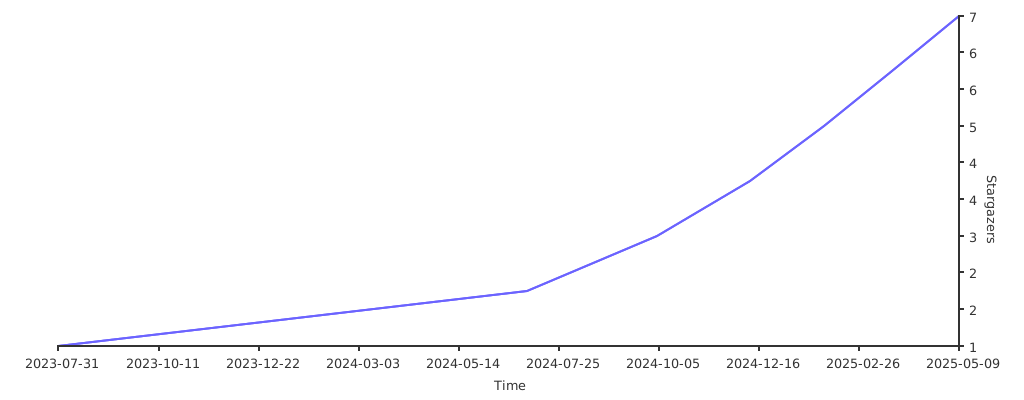](https://starchart.cc/stacksjs/ts-starter) | |
| 69 | ## Next Steps | |
| 81 | 70 | |
| 82 | ## Contributing | |
| 71 | Ready to get started with Launchpad? Check out these guides: | |
| 83 | 72 | |
| 84 | Please review the [Contributing Guide](https://github.com/stacksjs/contributing) for details. | |
| 73 | - [Installation Guide](./install.md) — Install Launchpad on your system | |
| 74 | - [Basic Usage](./usage.md) — Learn the basic commands | |
| 75 | - [Configuration](./config.md) — Customize Launchpad to your needs | |
| 76 | - [Why Launchpad?](./why.md) — More details on the advantages of Launchpad | |
| 85 | 77 | |
| 86 | 78 | ## Community |
| 87 | 79 | |
| 88 | 80 | For help, discussion about best practices, or any other conversation that would benefit from being searchable: |
| 89 | 81 | |
| 90 | [Discussions on GitHub](https://github.com/stacksjs/stacks/discussions) | |
| 82 | [Discussions on GitHub](https://github.com/stacksjs/launchpad/discussions) | |
| 91 | 83 | |
| 92 | 84 | For casual chit-chat with others using this package: |
| 93 | 85 | |